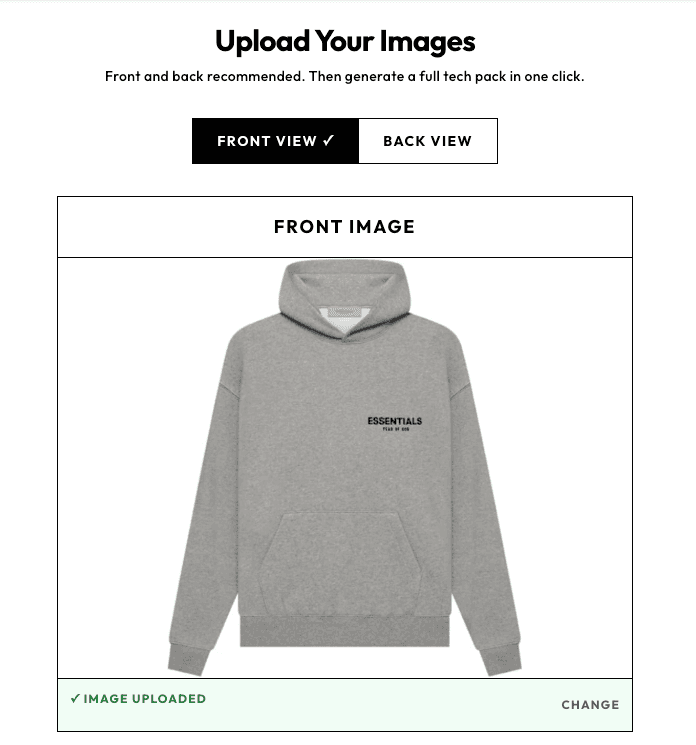
01Input
Bring in the design
Upload a garment photo, sketch, or flat. Start with one style, or use Batch Workspace to queue 2–10 with shared defaults.
Replaces Excel + Illustrator with one easy to edit techpack: specs, measurements, and BOM, ready to share with your factory.

AI Tech Packs turns the original garment image, sizing, and design brief into an editable first draft. Your team then runs Techpack Mama to flag details that may need attention, finishes the pack in the editor, saves the approved version, and exports or shares it with the factory.
Upload a garment photo, sketch, or flat. Start with one style, or use Batch Workspace to queue 2–10 with shared defaults.
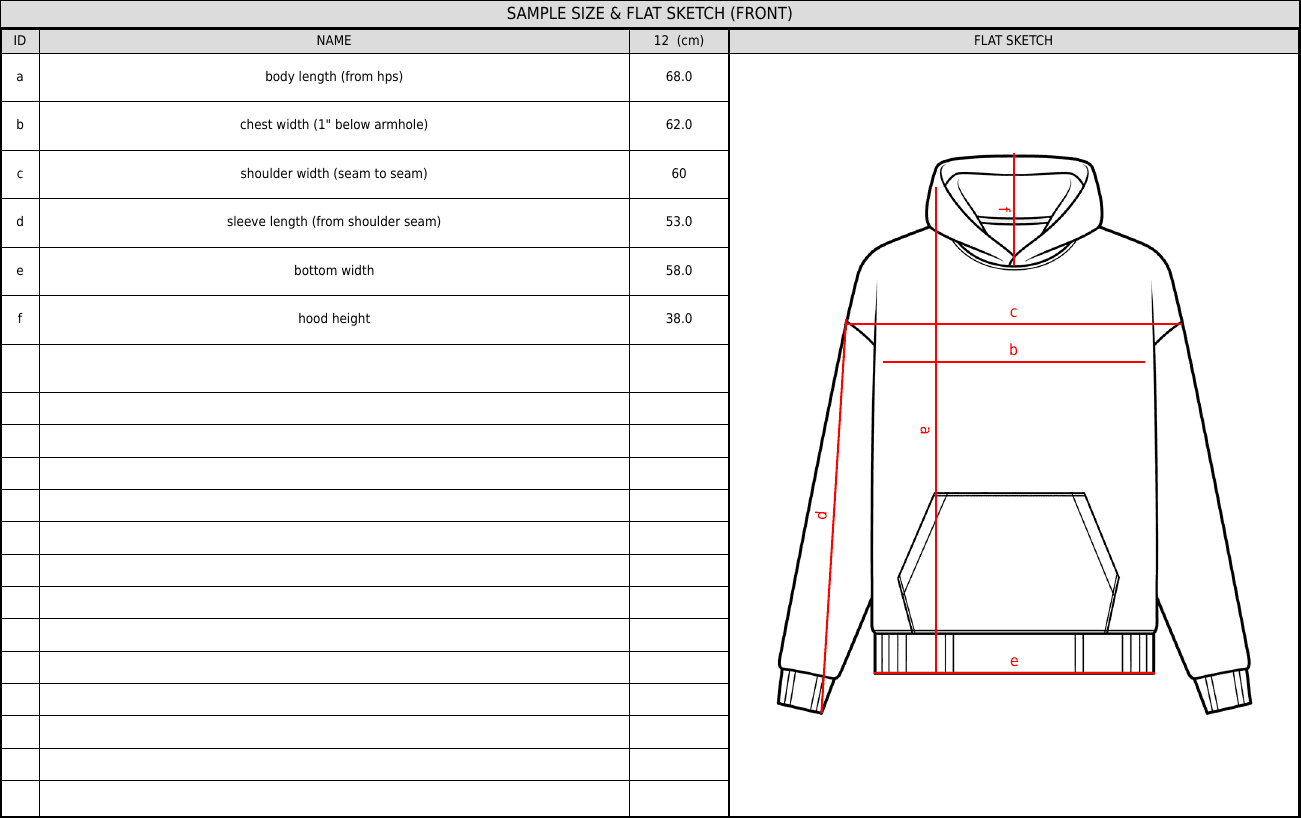
AI assembles flat sketches, initial specs, measurements, materials, construction details, and placements into an editable tech pack.
Run Techpack Mama after generation to compare the pack with the original garment image, size setup, and design brief. She brings the details that may need attention into one review, so your team enters the editor knowing where to focus.
Techpack Mama
Real product workflow
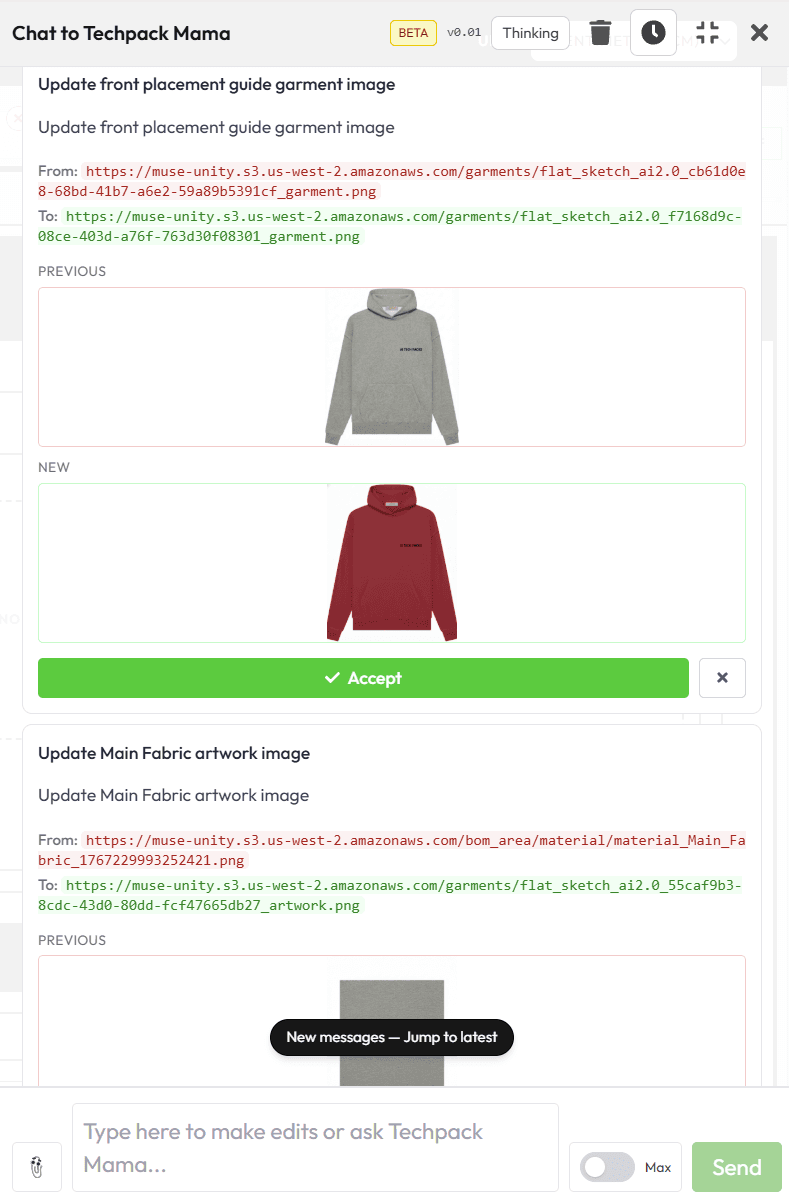
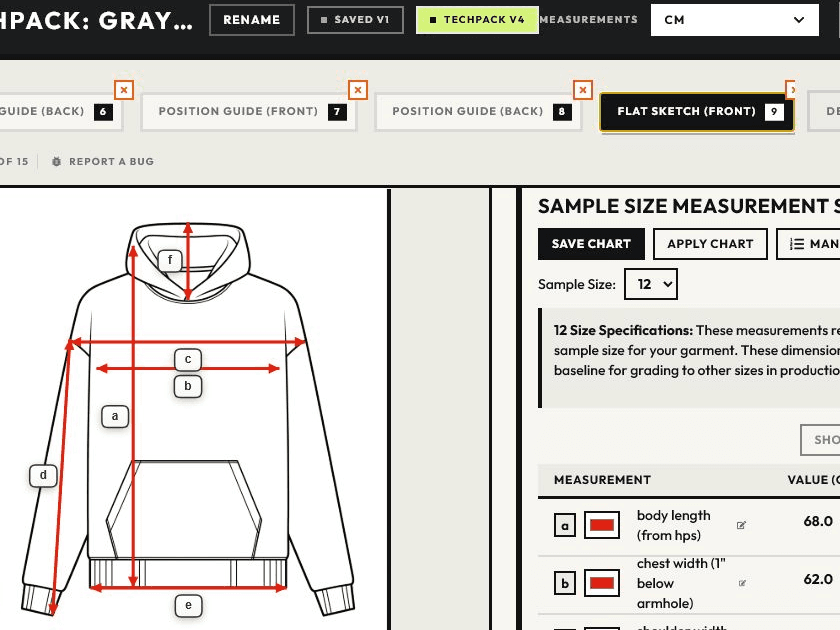
Edit measurements, materials, construction, placements, colorways, and the pages your team needs before final approval.
Factory Share
One current link · pack or full collection
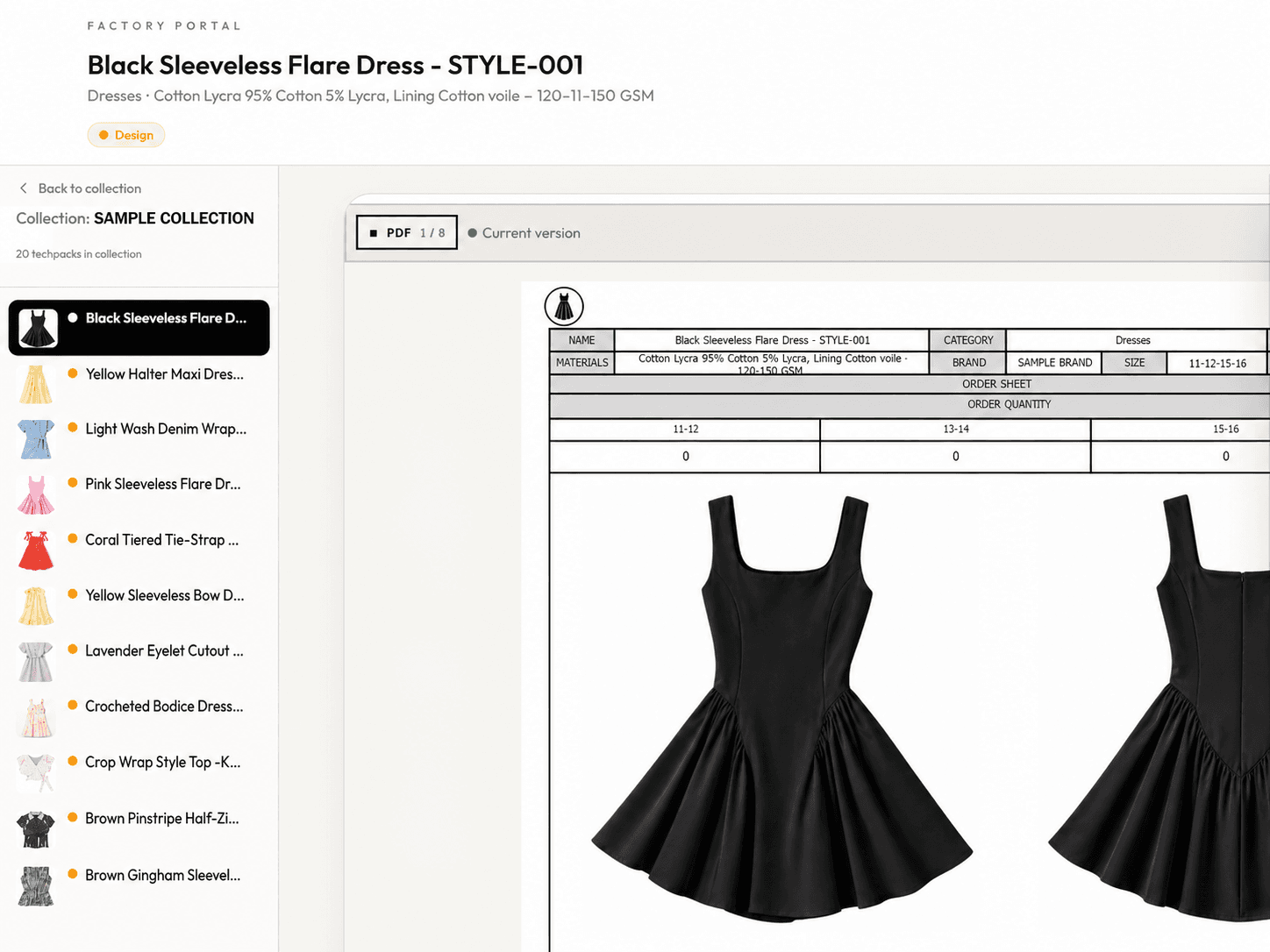
After your team approves the pack, export PDF or Excel or send one current Factory Share link for the pack or full collection. The factory can move between styles without an account, and updates stay on the same link.
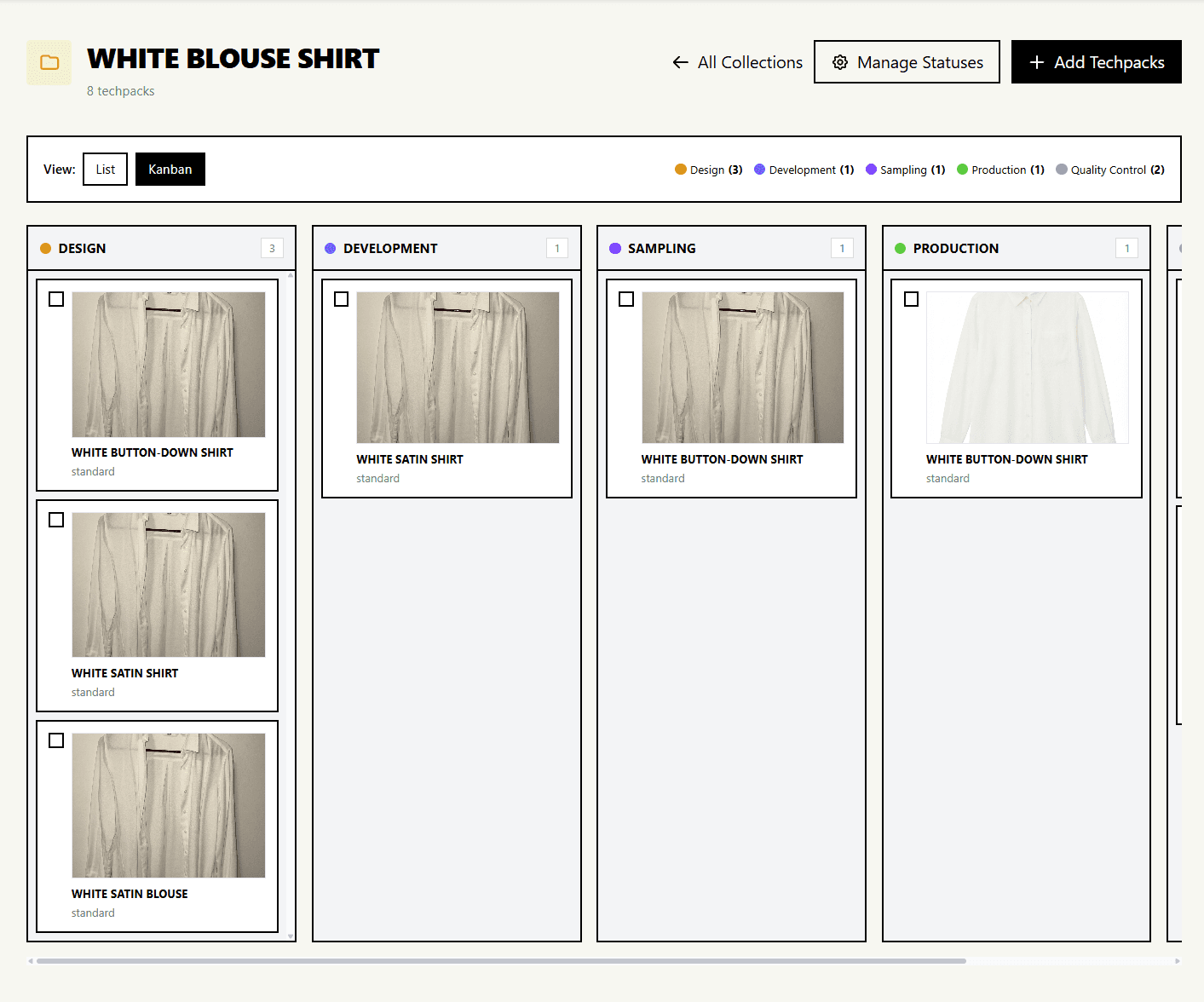
Collections gives design, sourcing, and quality teams one shared view of every tech pack in the line. Organize styles, track production status, and keep approved packs moving toward factory handoff as the collection grows.
Organize saved tech packs by collection and style so the team works from the same production view.
See where each pack stands, from draft and review through sampling and approval.
Use custom statuses, filters, and bulk updates to make the next action clear across the collection.
Open the current pack for review and editing, then export PDF or Excel or create a Factory Share link after approval.
Collection workspace
Every style and production status in one view
Full collection
Grows with your line
Custom workflow
Draft to factory handoff
For sourcing, design, and quality leaders, the gain is capacity: less time rebuilding first drafts in Illustrator and Excel, and more time reviewing the decisions that matter before factory handoff.
500+
fashion teams
17K+
tech packs built
Hours → minutes
operator-reported first draft
Fractional COO, Former COO at BYLT Basics
“What used to take our teams hours to make techpacks can now be done in minutes, even for non-technical creatives.”
Done-for-you tech packs
Send us your designs. We deliver factory-ready tech packs in 3–5 days.
A factory-ready tech pack still needs measurements, materials, trims, artwork, labels, and clear revision control. AI Tech Packs gives you the first draft fast so you can focus on production details instead of manual formatting.
Use a garment photo, sketch, or flat as the source of truth for silhouette, construction, and styling.
List measurements, size range, BOM items, trims, artwork, labels, and any factory notes your vendor needs.
Check for missing callouts, vague stitch notes, duplicate materials, and anything that could trigger sampling questions.
Send a clean PDF or Excel file, keep one current version, and make sure every revision is easy to track.
Manual Template Workflow
AI Generator Workflow
Templates and technical resources
Use the reference guide for production checklists and templates, compare the Excel and Illustrator workflow, or go straight into the generator.
FAQ
Start with one design image, review the first draft, and export when it is ready for your factory.
Tech Pack Generator
Go straight into the generator, review the production details, and export when the pack is ready for factory handoff.
Generate A Tech PackUse the blog to explore templates, factory-ready workflow tips, and Excel-versus-AI comparisons after you have seen the product path.


