Edit Every Detail. Your Way.
This tech pack editor is where you confirm measurements, materials, colors, placements, and construction details before the pack becomes the version your factory uses.
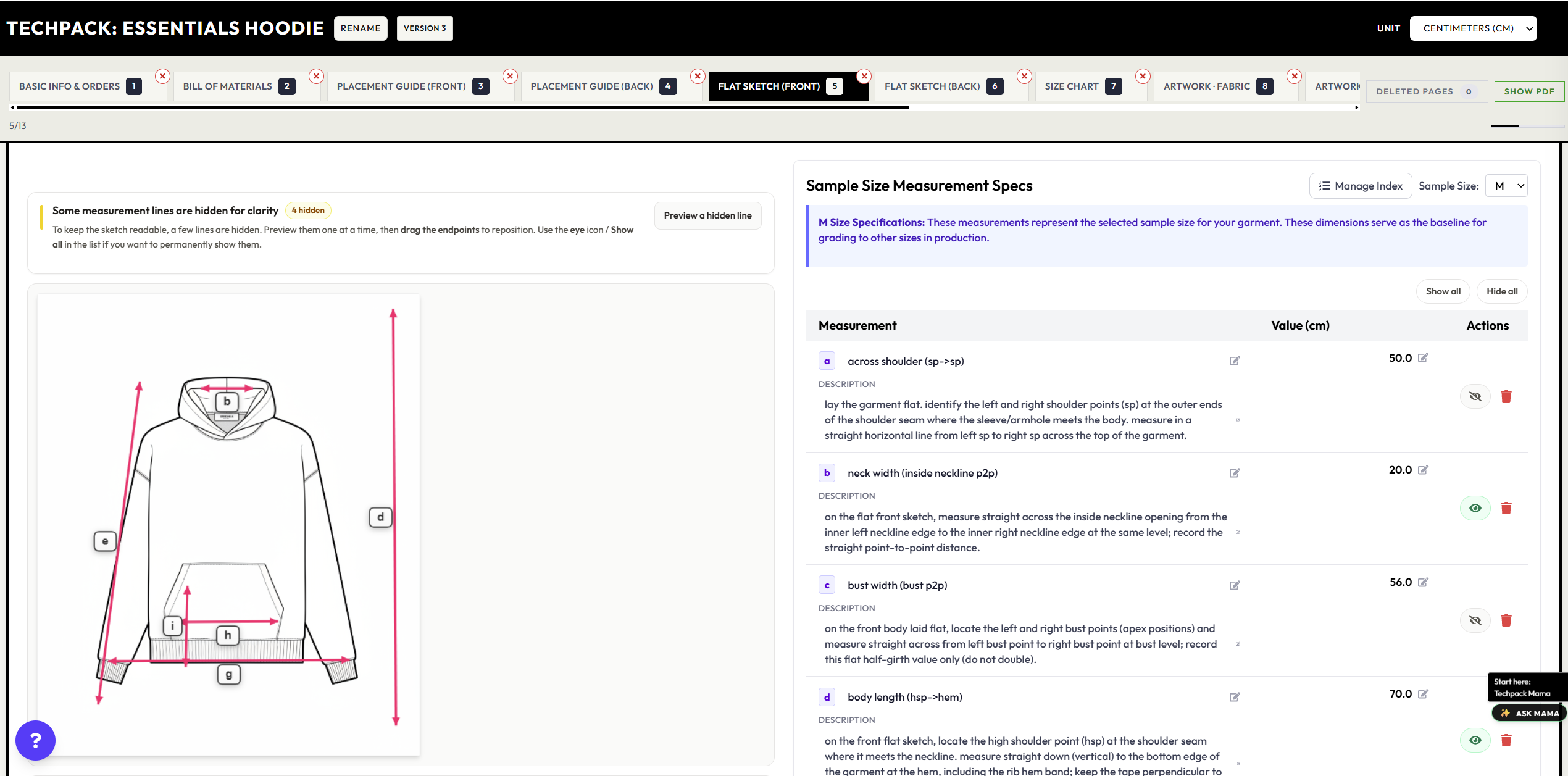
Everything Is Editable
If you're figuring out how to make a tech pack, this is the part where you tighten every spec and turn the first draft into the version your factory will use.
Measurements & Grading
Edit every measurement point. Adjust grading rules across all sizes with automatic calculations.
Bill of Materials
Add, remove, and modify every component. Fabrics, trims, labels, threads — all in one place.
Colors & Pantones
Define exact colors with Pantone codes. Set color placements and create colorway variations.
Flat Sketches
Upload new sketches or regenerate with AI. Add annotations and callouts directly on the image.
Placement Guides
Position logos, prints, and embroidery with pixel-perfect coordinates. Visual placement on garment.
Construction Details
Specify seam types, stitch counts, finishing methods. Everything your factory needs to know.
Summer T-Shirt V2
Always up to date • Last edit 2 min ago
Why It's Better Than Spreadsheets
Real-Time Updates
Changes save instantly. No "File > Save" or version numbers. Your tech pack is always current.
No Version Confusion
One source of truth. Everyone sees the same tech pack — no more "which file is the latest?"
Everything in One Place
Measurements, BOM, colors, sketches — all in a single interface. No switching between tools.
AI-Assisted Suggestions
Techpack Mama can recommend improvements, catch inconsistencies, and help you fill gaps.
Stuck? Ask Techpack Mama.
Not sure what to put for fabric weight? Wondering about grading rules? Techpack Mama is built into the editor — ask her anything.
Learn more about Techpack Mama“What GSM should I use for this hoodie?”
For a heavyweight hoodie, I recommend 350-400 GSM. Want me to update your BOM?
From the Changelog
Recent Product Updates
A few recent editor updates from the changelog, focused on saved revisions, BOM handling, and techpack cleanup.
Cleaner edited output and BOM handling
Recent cleanup work improved edited pack output and reduced manual BOM cleanup before export or sharing.
See update
Artwork and BOM backend refactor
Refactor work strengthened how edited materials, artwork, and related pack details are handled behind the editor.
See update
Saved tech pack workflow fixes
Recent saved-tech-pack and collection fixes support cleaner revision handling around the current pack.
See update
Tech Pack Editor Questions
Common questions about revising specs, tightening BOM details, and preparing the current version for export or sharing.
A tech pack editor is the workspace where you update measurements, BOM items, colors, sketches, placements, and construction notes before the pack goes to production.
Yes. The editor is built for post-generation cleanup, so you can adjust measurement points, grading logic, and tolerances before the factory sees the pack.
Yes. You can revise fabrics, trims, labels, color callouts, placement notes, and construction details inside one current tech pack workflow.
Once you have confirmed the specs, notes, visuals, and materials, the edited tech pack can be exported or shared as the current factory-ready version.
Ready to edit your first tech pack?
Create a tech pack with AI, then customize every detail until it's perfect.
Try the Editor — Free